

New DevTools Feature in Chrome 65 (Local overrides)
This is a really great feature, and it’s a shame that some people don’t know about it, so I’m sharing it.
Local overrides
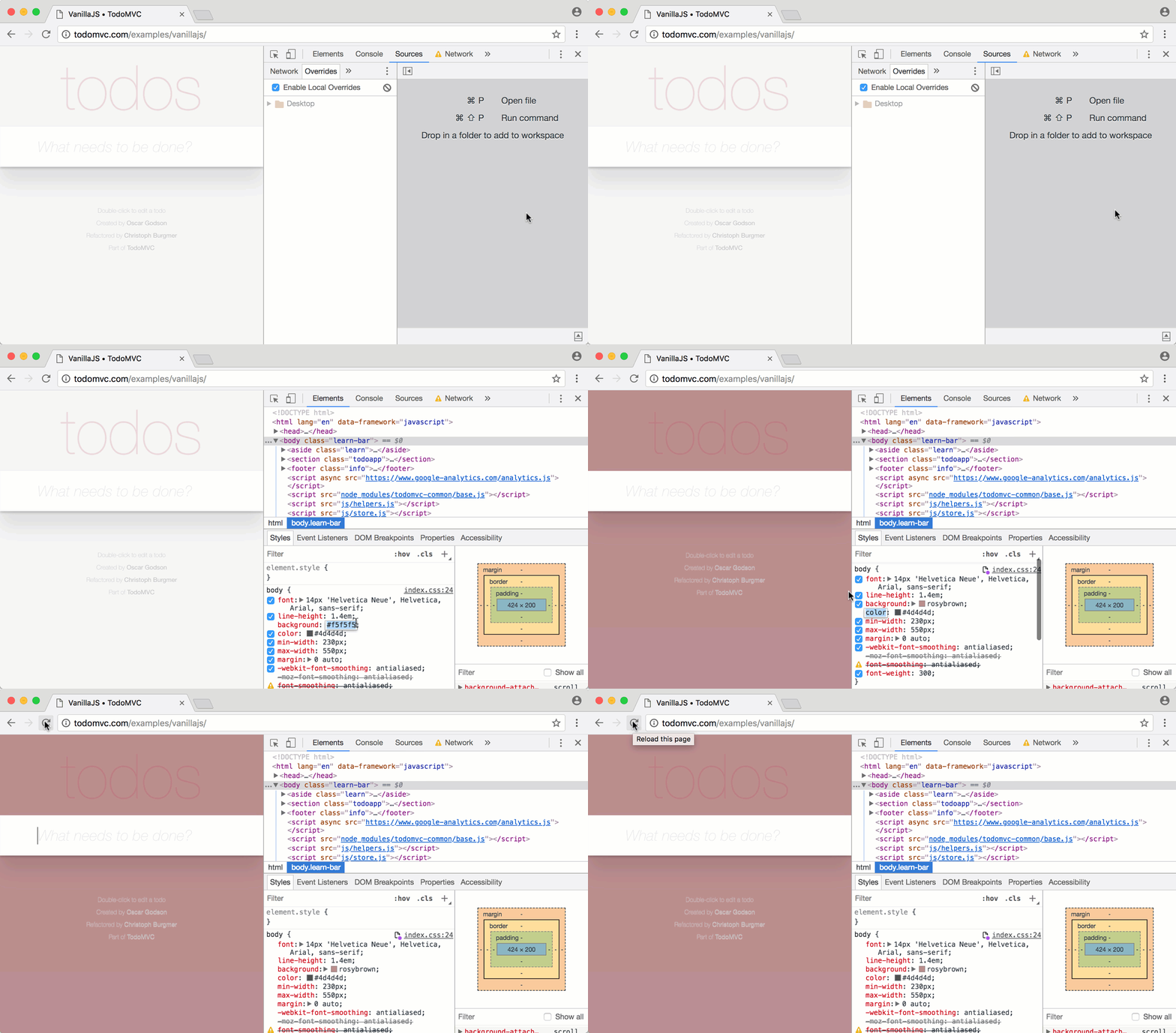
Now, when you use the Local overrides feature, the CSS and document content you edit in the developer tools won’t be wiped out even if you press F5. The static sources you edit here are saved to the folder you specify under Sources > Overrides.
Supplementary note
As of Chrome 66, CSS defined inside the style tag of an HTML file is also saved.
Changes tab

It’s even better when used together with the Changes tab, because you can see what you’ve changed.
It’s convenient to modify CSS and other files in the developer tools, check the finished source in the Changes tab, and then deploy the file saved locally.
Be sure to watch the linked developer tools introduction video too.
Addendum
Perhaps because they felt it was a shame that so many people don’t know about this feature, Google has even created a separate document just to introduce it. Go read the official Save Changes To Disk With Workspaces document!

Leave a comment