
When Does the Sign-in Prompt Appear?
sign-in
sign-in: a prompt that asks the user for HTTP authentication
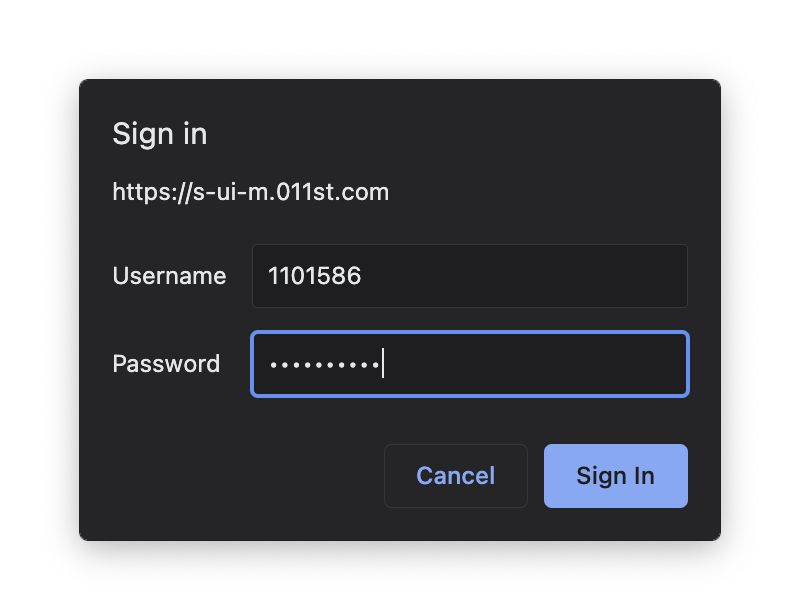
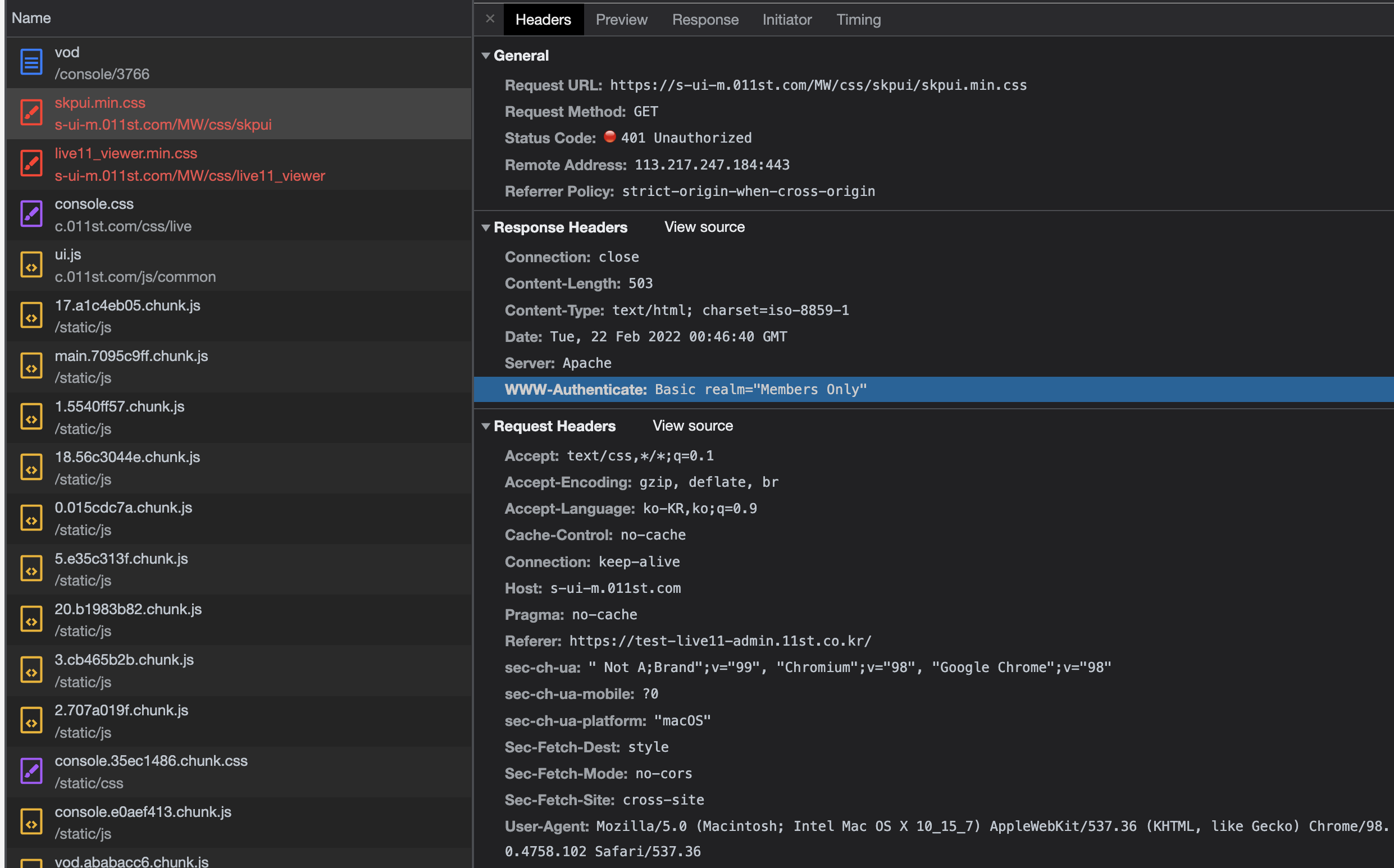
The sign-in prompt appears when a 401 Unauthorized occurs
A 401 Unauthorized error is occurring. There is no Authorization value in the request header.
The server requests authentication from the client by passing the authentication scheme information in the WWW-Authenticate field of the response header.

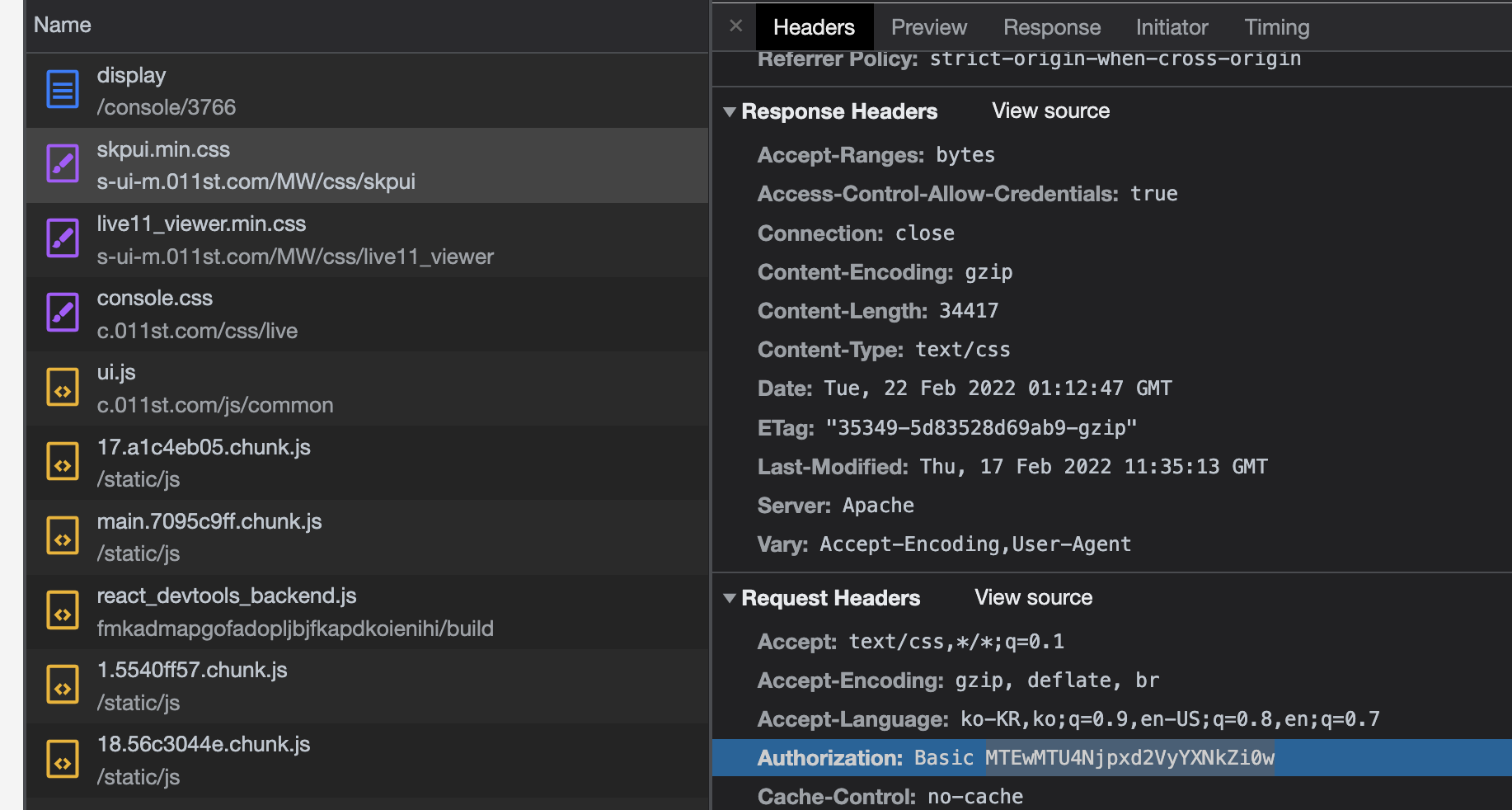
When you enter a username and password in the sign-in prompt
The client sends the Authorization information to the server in the request header.
If authentication succeeds, the server responds with the file as normal.
The Authorization field contains the credentials you entered in the prompt.
WWW-Authenticate: <type> realm=<realm>
type is the authentication scheme. Basic is commonly used. Basic means “encode it in base64.” There are various schemes.
realm contains information about who is allowed to access the resource that requires authentication.
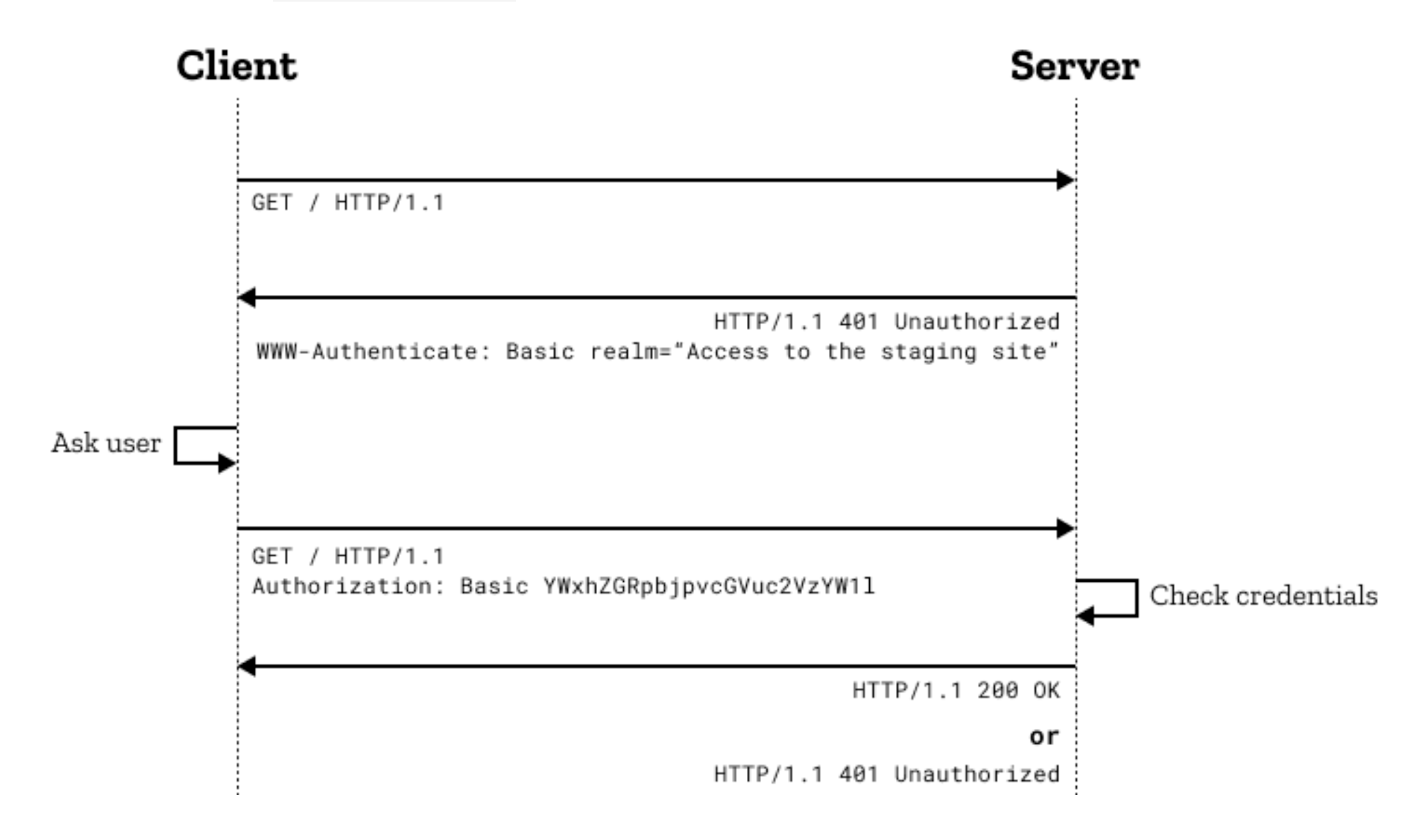
A rough overview of the authentication process
https://developer.mozilla.org/ko/docs/Web/HTTP/Authentication
incognito mode
The browser remembers the ID and password you enter in the authentication prompt. So once you enter your credentials into the prompt and authenticate successfully, it won’t ask for authentication again until you close that browser.
In incognito mode, the browser does not remember the ID and password you entered in the authentication prompt. So you have to re-enter the ID and password every time.
Chromium project: https://www.chromium.org/developers/design-documents/http-authentication/
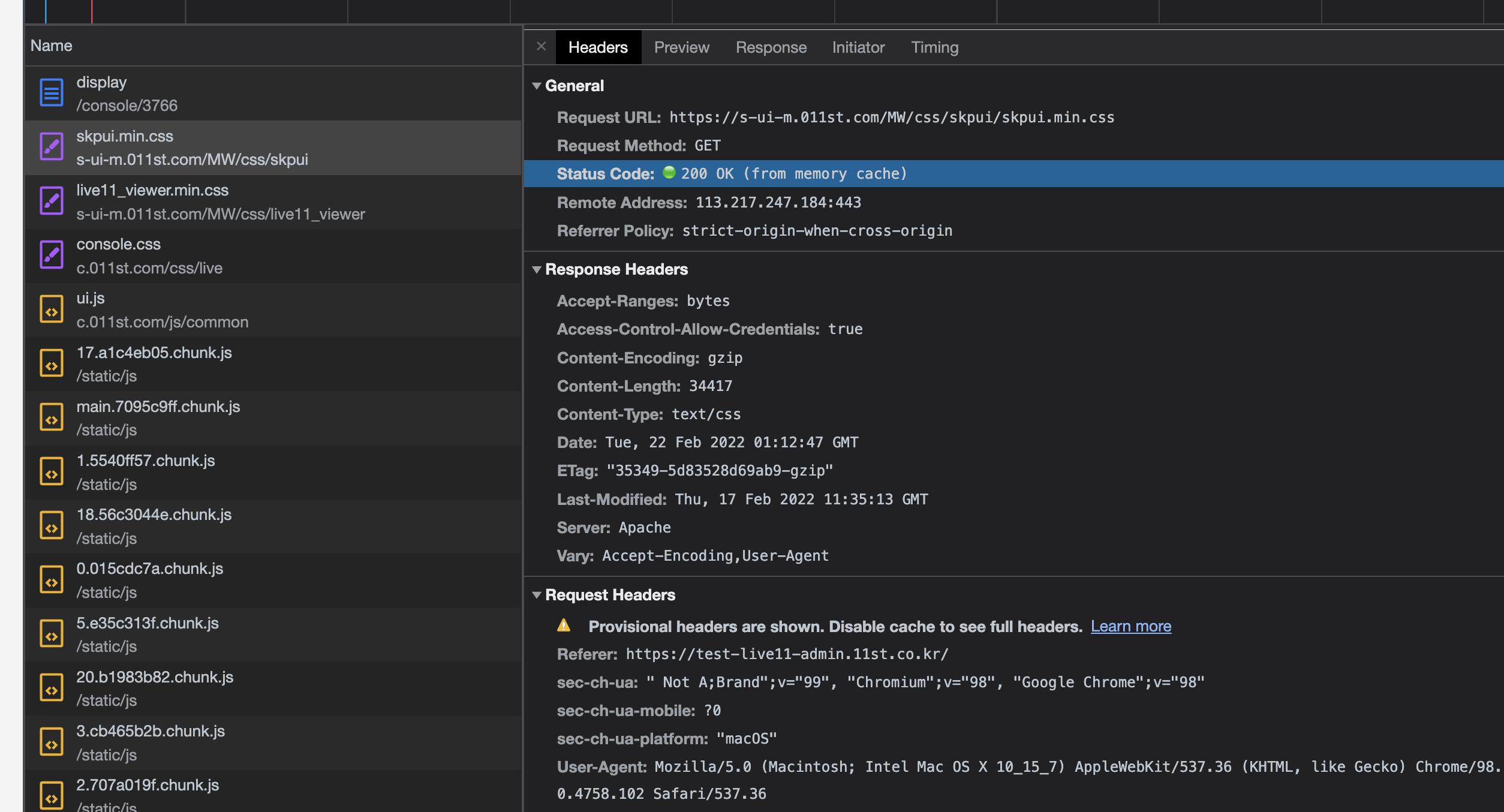
Cache
If there is a cache in memory, authentication is not required.
401 or 403 or 404
When authentication succeeds but the user lacks permission, the server responds with 403 Forbidden.
Sometimes the server is configured to respond with a blanket 404 Not Found in order to hide detailed information.
Apache HTTP Server
Apache HTTP Server has various modules and directives for authentication.
There is also a feature to require authentication per domain, as well as a feature to cache authentication.
https://httpd.apache.org/docs/2.4/en/howto/auth.html#socache
This article is written based on the behavior of the Google Chrome browser.
20220222

Leave a comment