
webpack4 bundle file name
- How to configure
- You must place
outputunderconfigure.
- You must place
module.exports = {
    configure: {
    	output: {
    		filename: `[name].[hash].js`,
    		chunkFilename:  `[name].[hash].chunk.js
    	}
    }
}
- The difference between filename and chunkFilename
- filename
- The name of the entry file
- Example: runtime-main.%@#$.js
- Among the options, only [hash] can be used. However, in the config that comes out when you eject from react, it is set to [contenthash:8]…)
- chunkFilename
- The name of the file that webpack loads asynchronously
- filename
- options
- id: module id. It increases in the order that modules are added
- name
- module name.
- If you didn’t assign a separate name to the module, it is the same as the id
- hash
- It is based on the entire source code. Therefore, even if only a part changes, the whole hash value changes.
- Since it is based on the entire source code, all the hash values of the output files at a single build point are identical.
- Even if you change the filename by adding something like new Date().getTime() to it, the hash value changes. Probably because the value entered into the webpack config file changes.
- There is a contradiction within the webpack doc’s explanation. It’s not the hash of the module id; rather, a hash is newly generated at each build point, and the hash values at each build point are identical.
- The official docs say the hash changes on every build, but it doesn’t.
- chunkhash
- A hash based solely on the content of that chunk file
- It is unstable. The hash can change even if the content has not changed. This is because the criteria for splitting chunks can change with every build (https://github.com/webpack/webpack/issues/7179)
- contenthash
- A hash based solely on the extracted content of that chunk file. Comments, variable name changes, etc. do not affect the hash result.
- unstable (for the same reason as chunkhash)
- hash slice
- Manipulating the length of hash, contenthash, chunkhash
- Example
- Using only the first 8 characters of the hash
- bundle.[hash:8].js
- Other
- function
- arrow functions are possible
- template literals
- You can insert js code such as new Date().getTime()
- Example
filename: ({ chunk: {name, chunkname} }) => { const str = '' return `static/js/[name].[chunkhash].${new Date().getTime()}.js` },- What about inline styles? They are turned into CSS, and the filename is created with the same rule as output.filename.
- What about the build output path? Of course, you have to specify it.
- You can check webpack’s default output filename setting in node_modules/webpack/lib/webpackOptionsDefaults.js
- The default setting of create-react-app is like this. (node_modules/react-scripts/config/webpack.config.js)
filename: isEnvProduction ? 'static/js/[name].[contenthash:8].js' : isEnvDevelopment && 'static/js/bundle.js', chunkFilename: isEnvProduction ? 'static/js/[name].[contenthash:8].chunk.js' : isEnvDevelopment && 'static/js/[name].chunk.js', - function
- So my final configuration is

TEST (for reference)
1. Success
date time applied
the hash changes on every build
filename: `[name].[id].[hash].${new Date().getTime()}.js`,
chunkFilename: [name].[id].[hash].${new Date().getTime()}.chunk.js
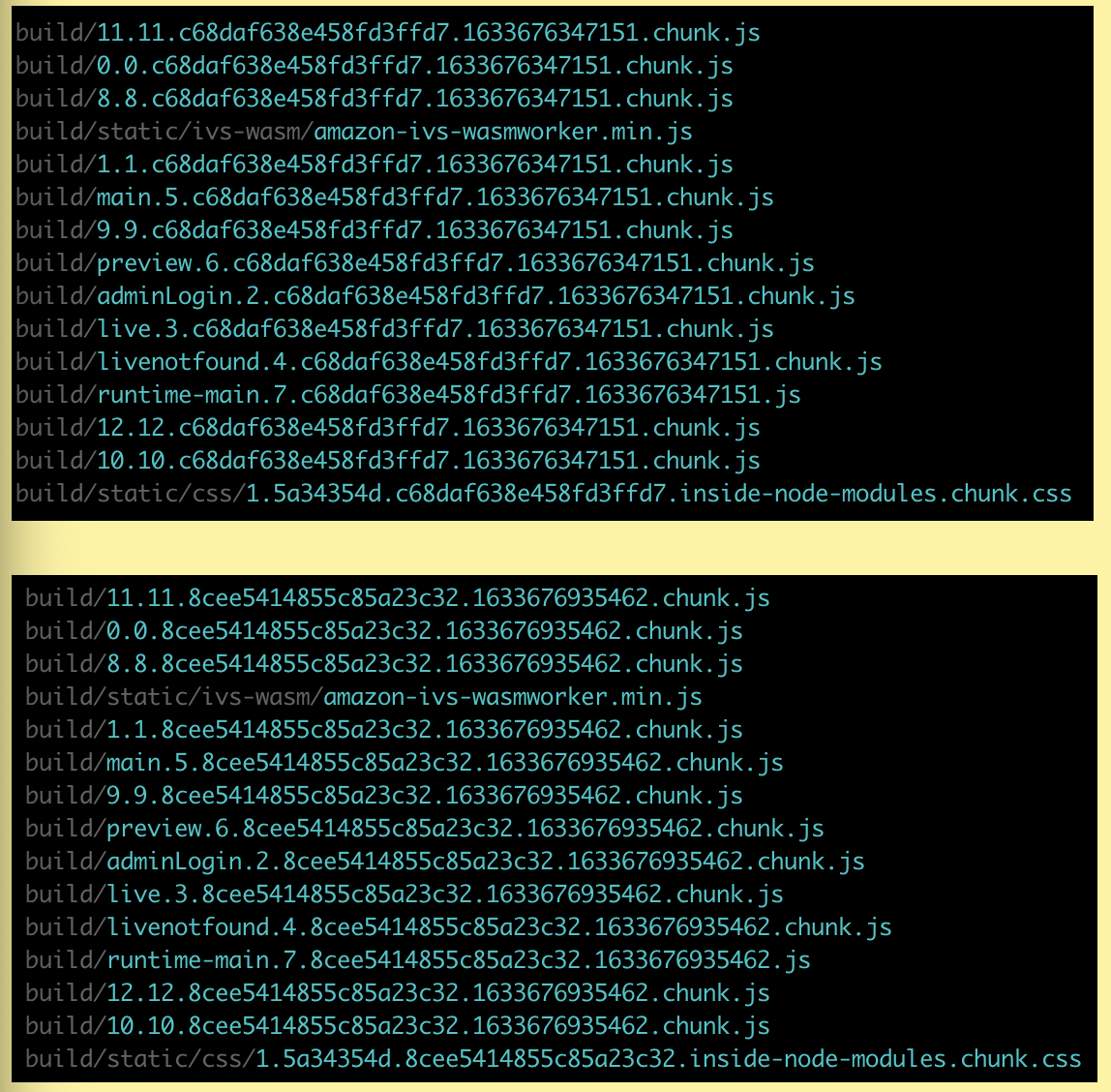
2. Failure
The hash doesn’t change. It stays the same!
filename: `[name].[id].[hash].js`,
chunkFilename: `[name].[id].[hash].chunk.js
3. Failure
The hash doesn’t change!
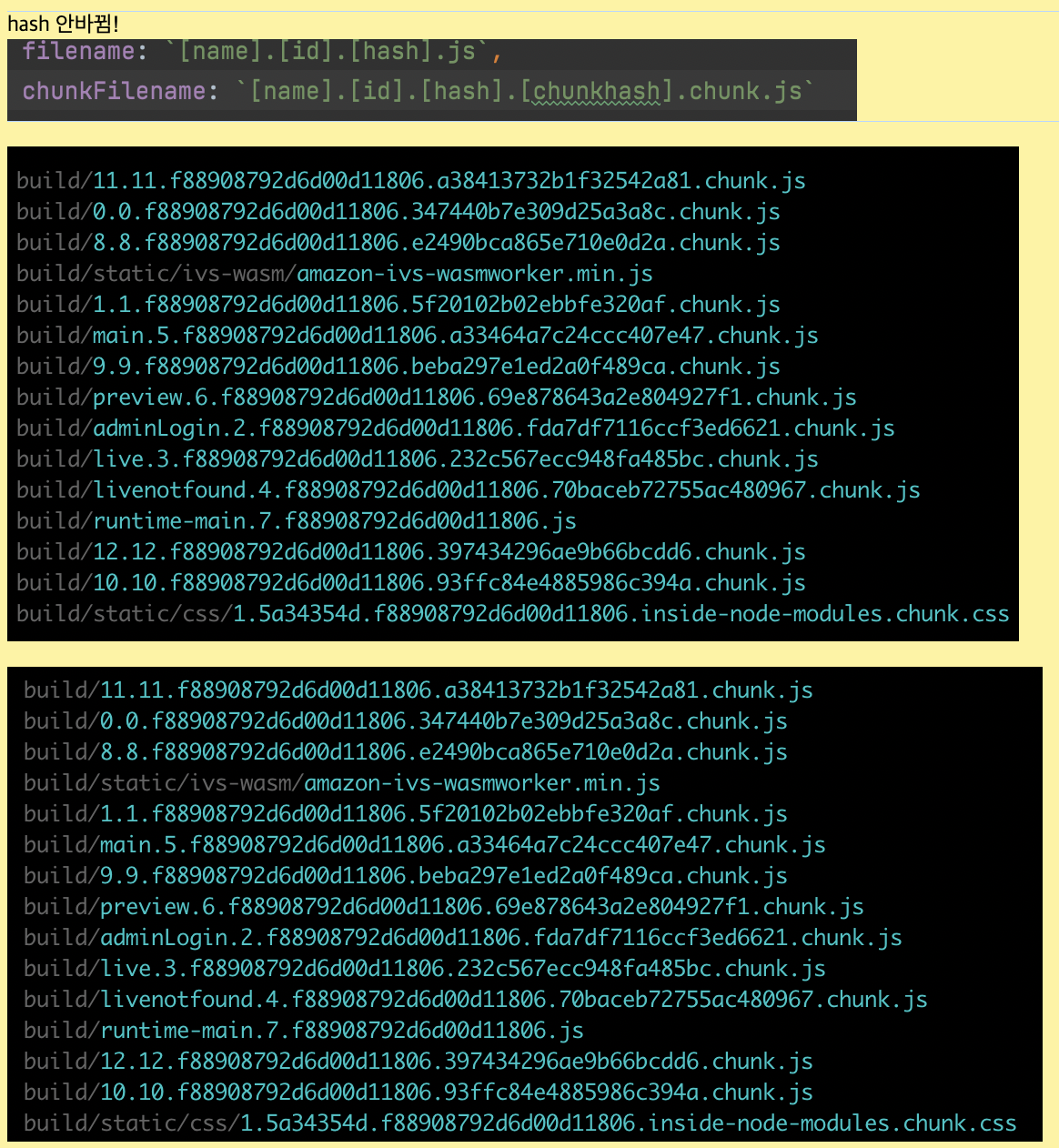
4. Failure
The hash doesn’t change!
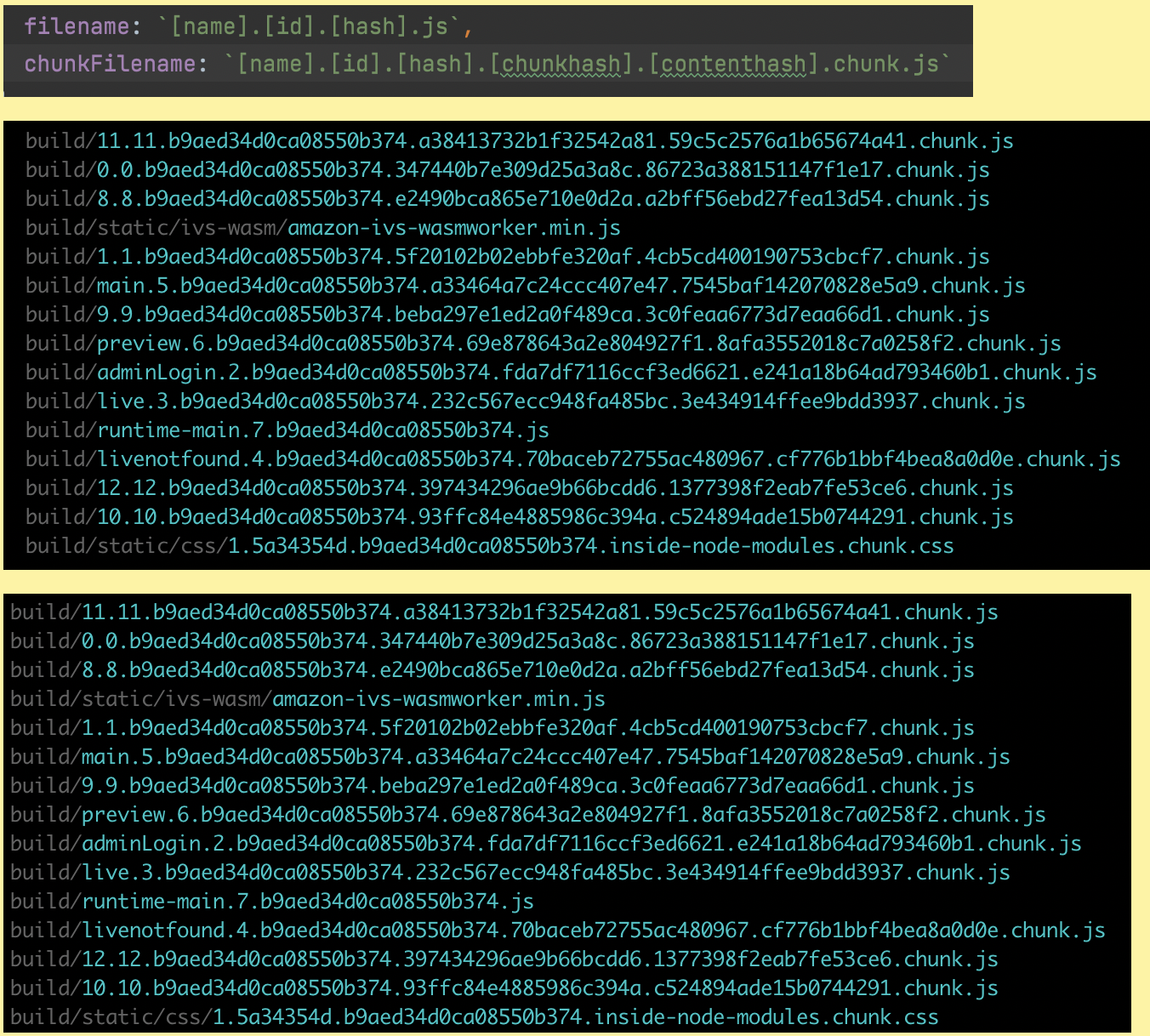
5. Success
- Let’s add getTime
- hash changes
- chunkhash doesn’t change
- contenthash doesn’t change
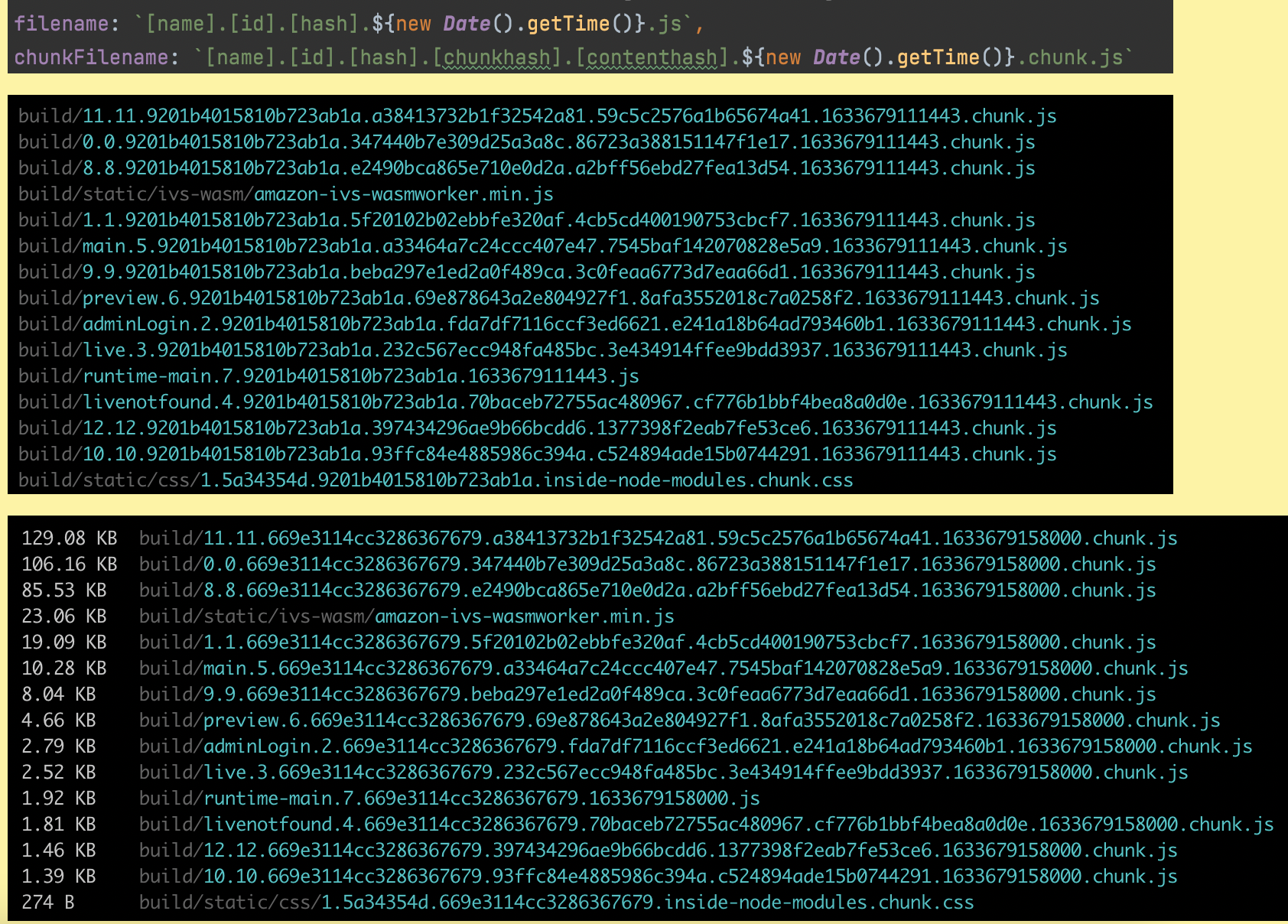
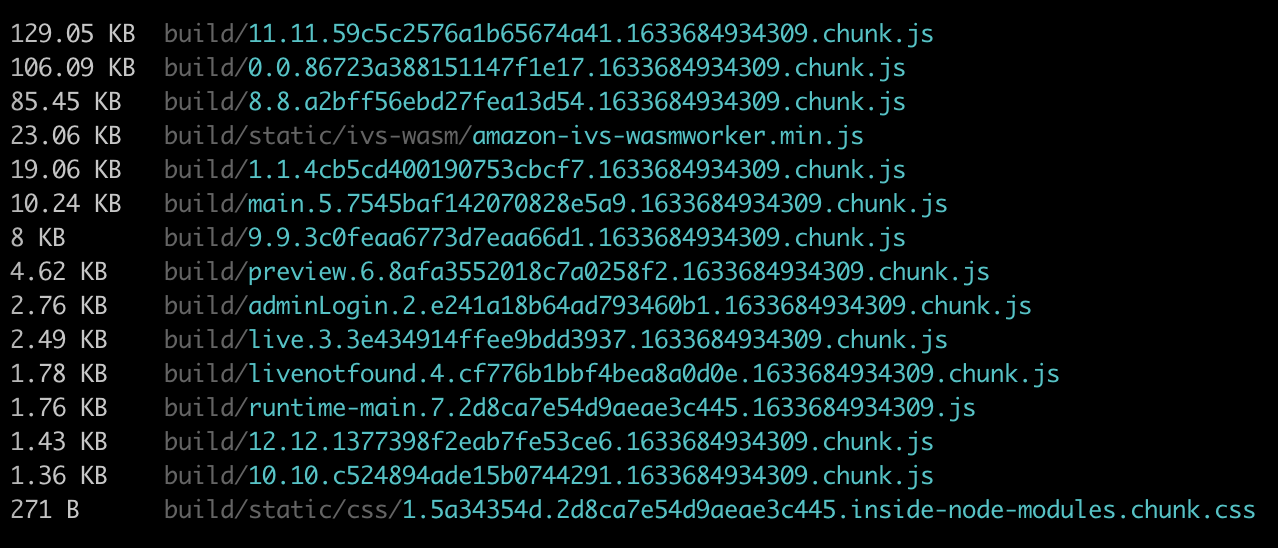
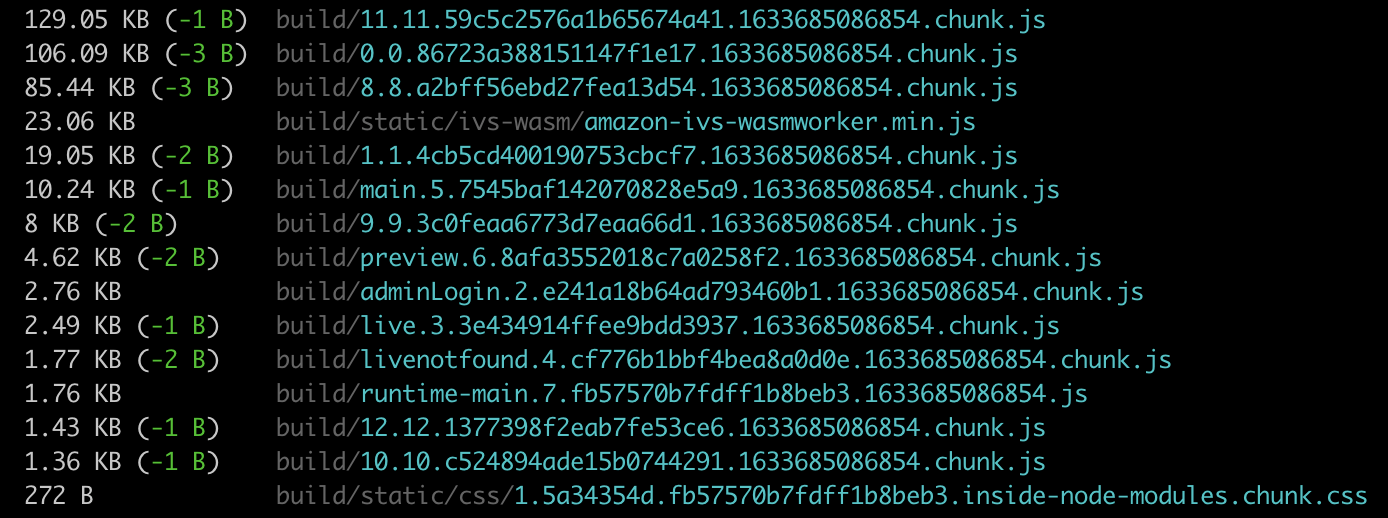
6. Failure (the filename does differ, but the contenthash stays the same) (adopted)
filename: `[name].[id].[hash].${new Date().getTime()}.js`,
chunkFilename: `[name].[id].[contenthash].${new Date().getTime()}.chunk.js`

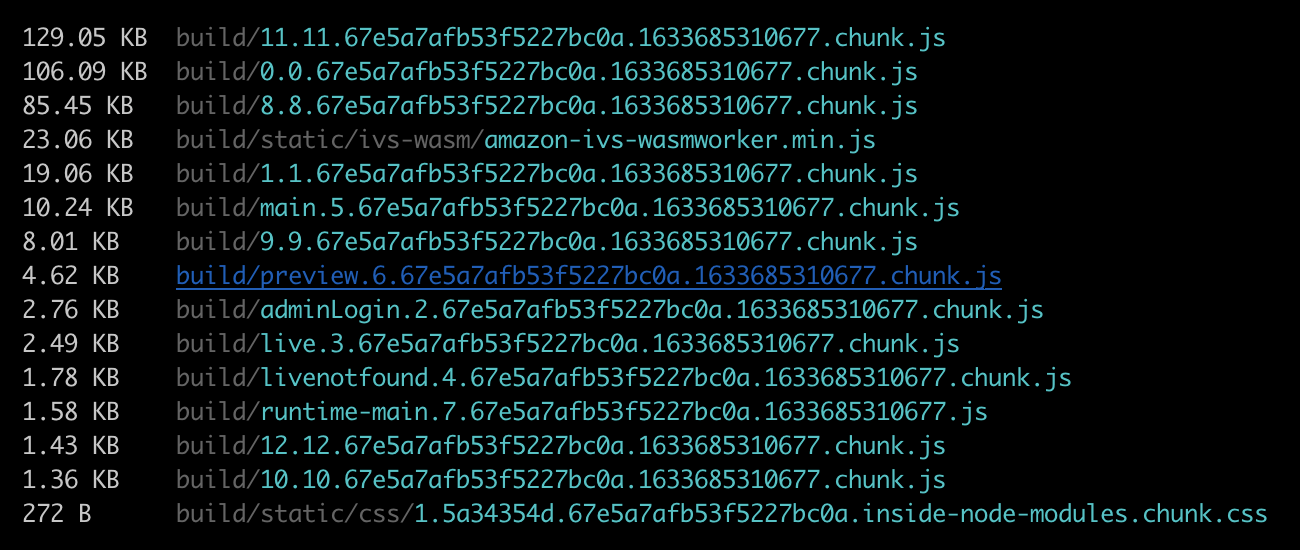
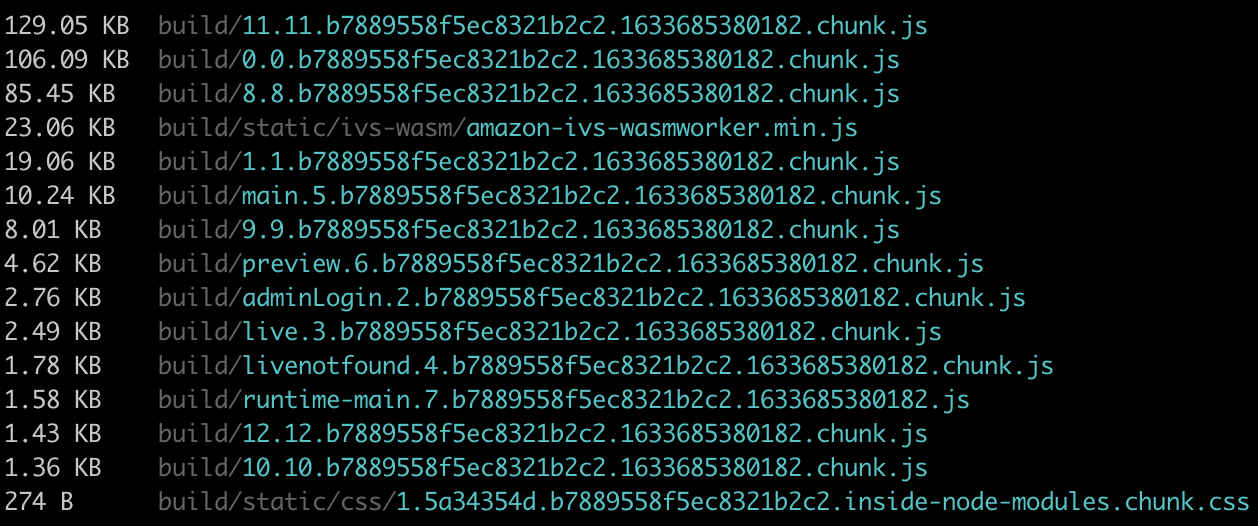
7. How about this time?
filename: `[name].[id].[hash].${new Date().getTime()}.js`,
chunkFilename: `[name].[id].[hash].${new Date().getTime()}.chunk.js`

reference
- output
- filename: https://v4.webpack.js.org/configuration/output/#outputfilename
- chunkFilename: https://v4.webpack.js.org/configuration/output/#outputchunkfilename
-
Template Description [hash] The hash of the module identifier [contenthash] the hash of the content of a file, which is different for each asset [chunkhash] The hash of the chunk content [name] The module name [id] The module identifier [query] The module query, i.e., the string following ? in the filename [function] The function, which can return filename [ string ]
- mini-css-extract-plugin
- webpack doc: https://v4.webpack.js.org/plugins/mini-css-extract-plugin/#root
- filename: https://v4.webpack.js.org/plugins/mini-css-extract-plugin/#filename
- chunkFilename: https://v4.webpack.js.org/plugins/mini-css-extract-plugin/#chunkfilename
- git repo: https://github.com/webpack-contrib/mini-css-extract-plugin
- changeLog: https://github.com/webpack-contrib/mini-css-extract-plugin/blob/master/CHANGELOG.md
- create-react-app
- webpack 5 support status: https://github.com/facebook/create-react-app/pull/11201
- The purpose of hash and chunkhash: https://stackoverflow.com/questions/35176489/what-is-the-purpose-of-webpack-hash-and-chunkhash
- Which of hash, chunkhash, contenthash should you use?: https://stackoverflow.com/questions/59194365/webpack-4-hash-and-contenthash-and-chunkhash-when-to-use-which
- webpack doc: https://v4.webpack.js.org/plugins/mini-css-extract-plugin/#root
20210908

Leave a comment